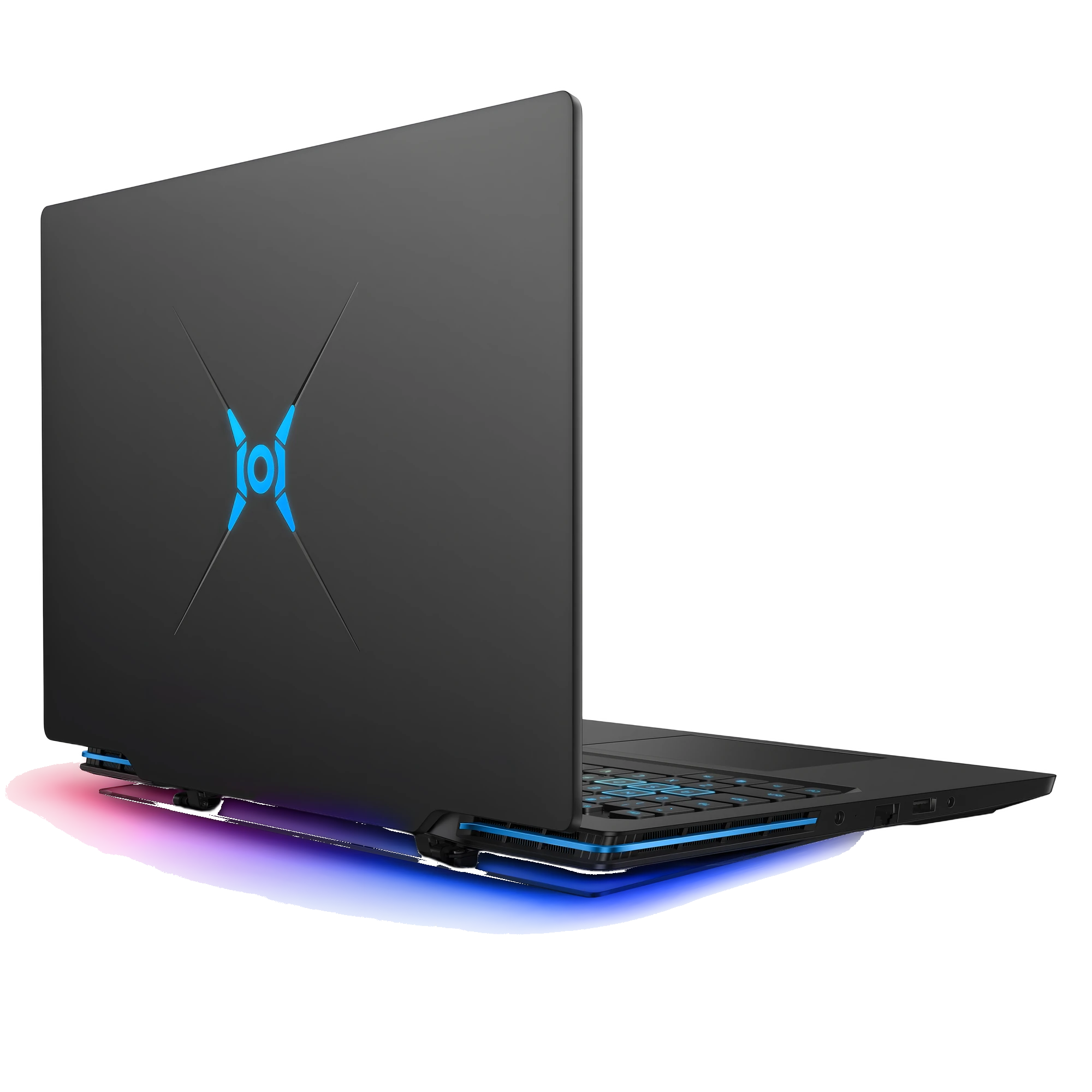
Hunter RGB · for the HONOR HUNTER V700 · Linux
Seventy
lights. One
hunter.
Sets the colour of your V700's logo and of every one of the seventy LEDs along its rear vent. Light by hand, by breath, by sound. Written for one laptop, given away as it is.
A black box
that leaks light.
The V700 keeps its colour at the edges: the emblem on the lid, and a strip along the vent that lifts when the lid opens. Hunter RGB reaches both.

- Display
- 16.1″ · 144 Hz
- Thickness
- 19.9 mm
- Vent
- Lifts with the lid
- Since
- September 2020
Where the
light lives.
Four parts of the V700 give off light. Pick one to find it on the laptop.
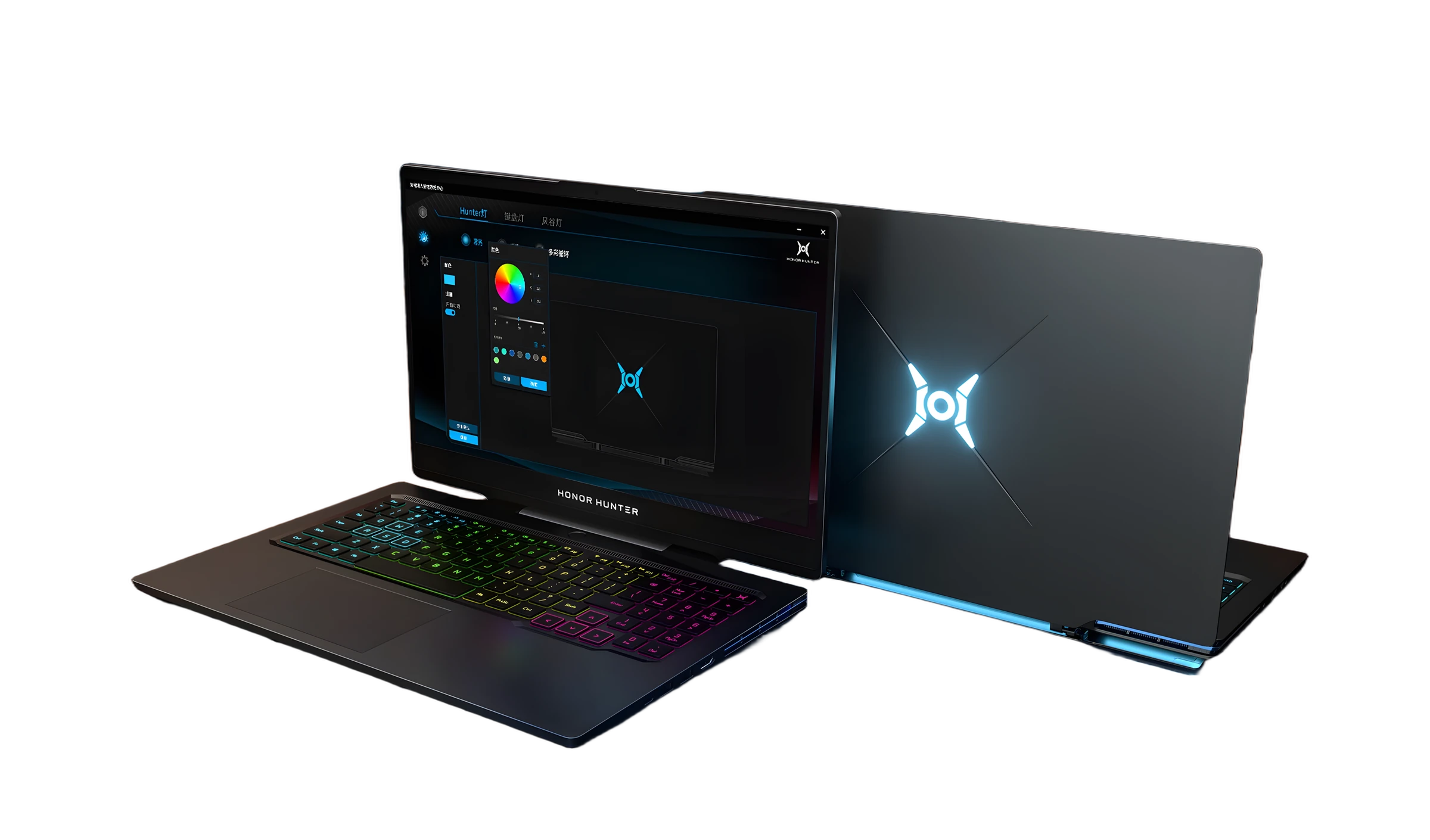
The Hunter emblem on the lid. Its own colour and mode.
Seventy LEDs in four segments under the hinge. Set them all, one segment, or one LED.
Where the vent light reaches the side of the body.
Four colour zones. Music and ambient effects can drive them.
Render: HONOR, via GSMArena

One light,
four segments,
seventy notes.
Address the whole strip, one segment, or a single LED. The logo is its own voice.
- 0–19Segment 1 · 20 LEDs
From the screen edge.
- 20–35Segment 2 · 16 LEDs
Where the hinge holds the lid.
- 36–51Segment 3 · 16 LEDs
Mirrored across the spine.
- 52–69Segment 4 · 18 LEDs
To the far edge. Cycles on its own.
hunter-rgb vents 19a8ff
hunter-rgb vents segment 2 ff0040
hunter-rgb vents led 69 ffffff
hunter-rgb logo 7a00ff breathe 2Ten ways
to breathe.
Firmware modes run on their own: static, breathe, cycle. With the optional hunter-rgbd daemon, software effects stream at 20 frames a second: sound, screen, heat, time.
hunter-rgb vents 19a8ffMusic and Ambient listen to your sound and screen on the laptop. Here they are imitated: no microphone, no capture.
The console
behind the glow.
Hunter RGB is a desktop app with a live preview of the logo and every LED. Pick a screen to see what it does.
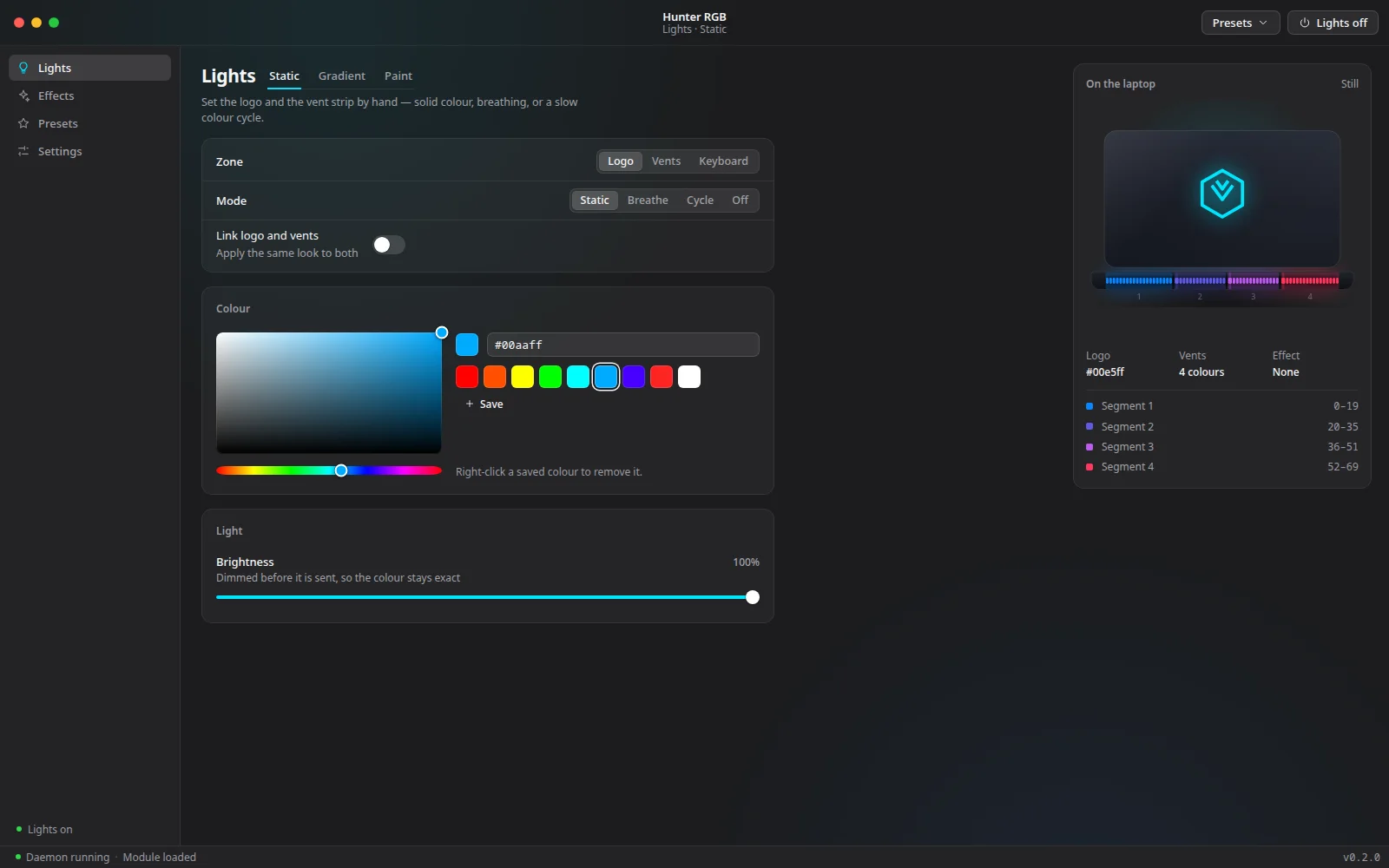
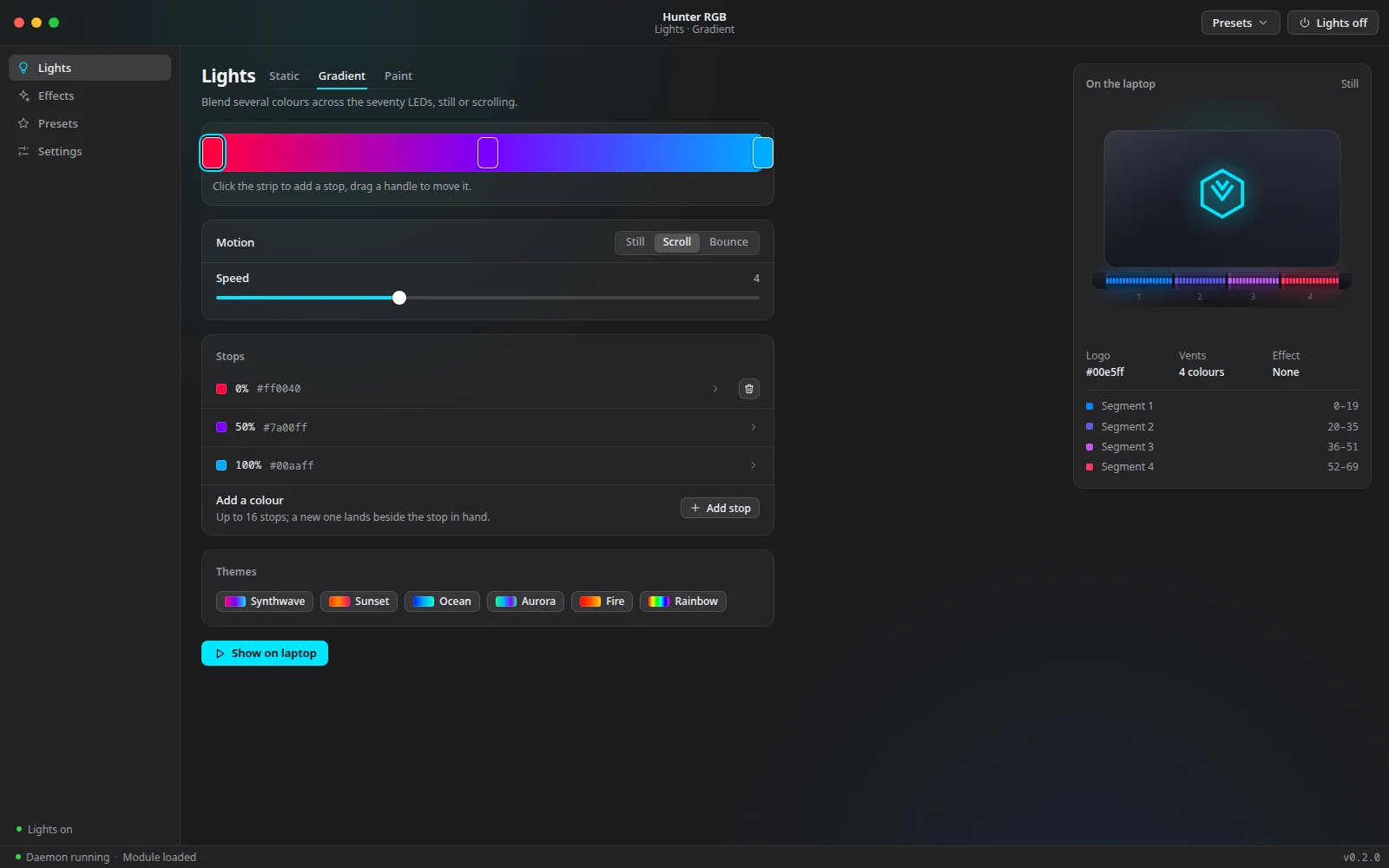
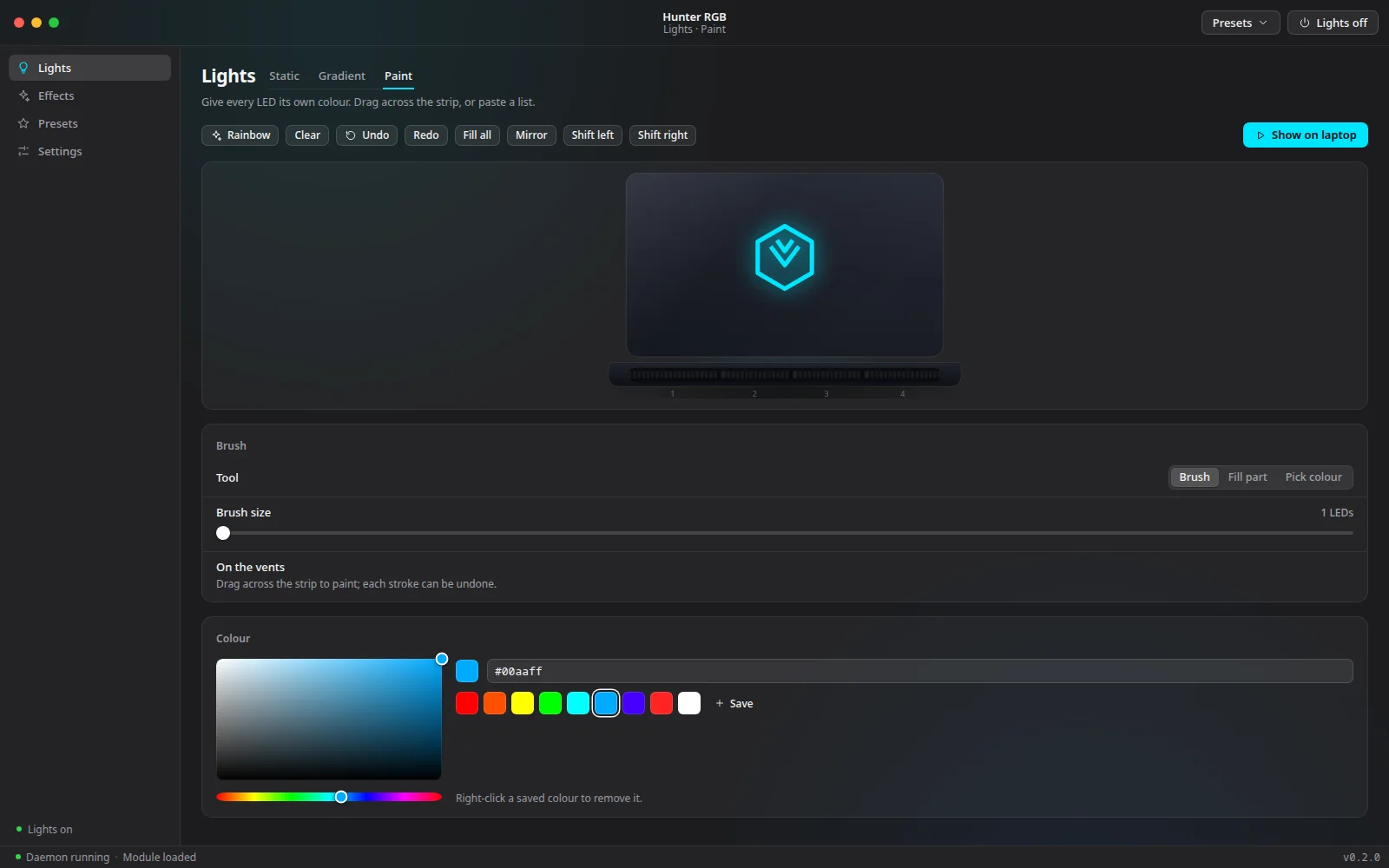
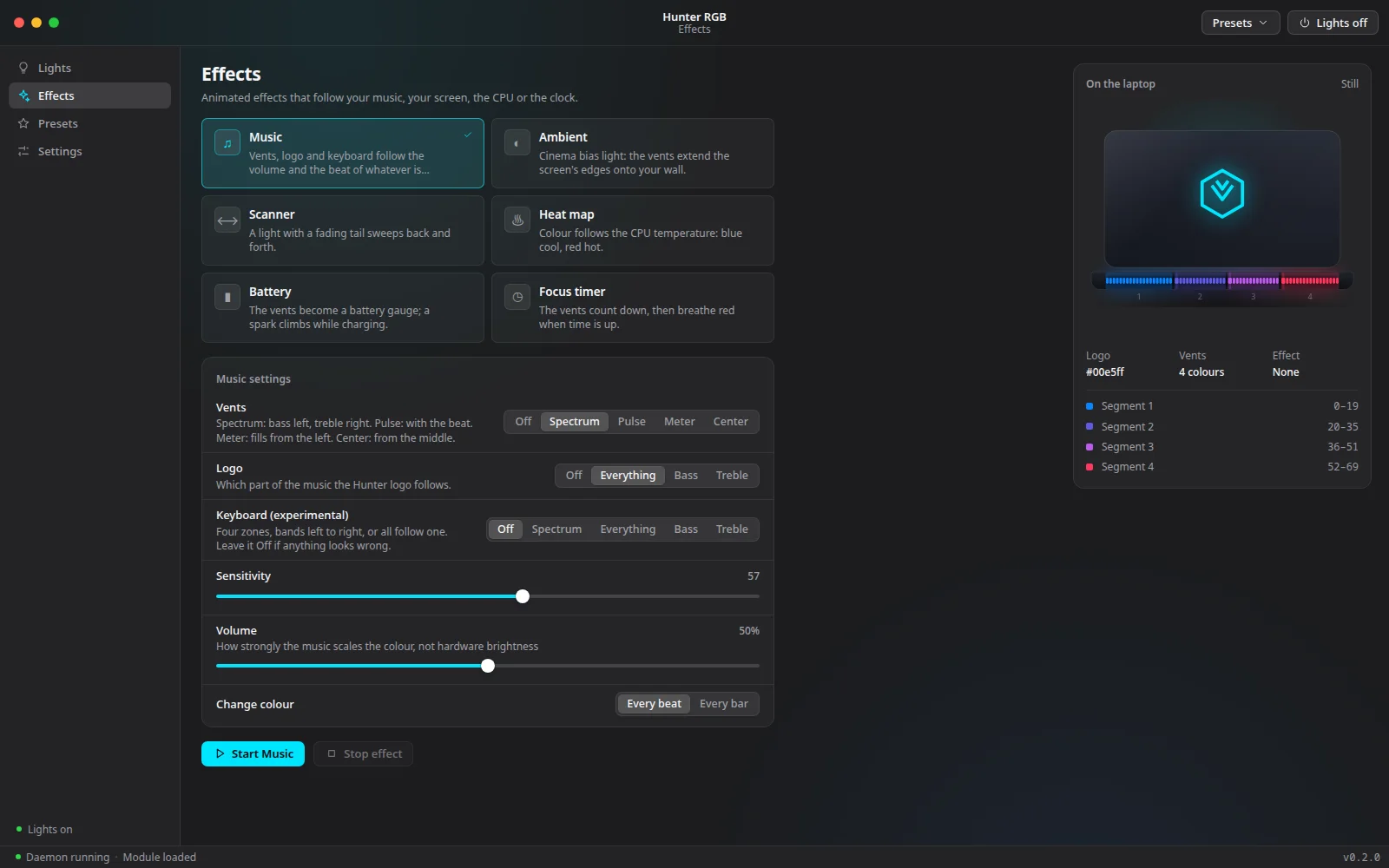
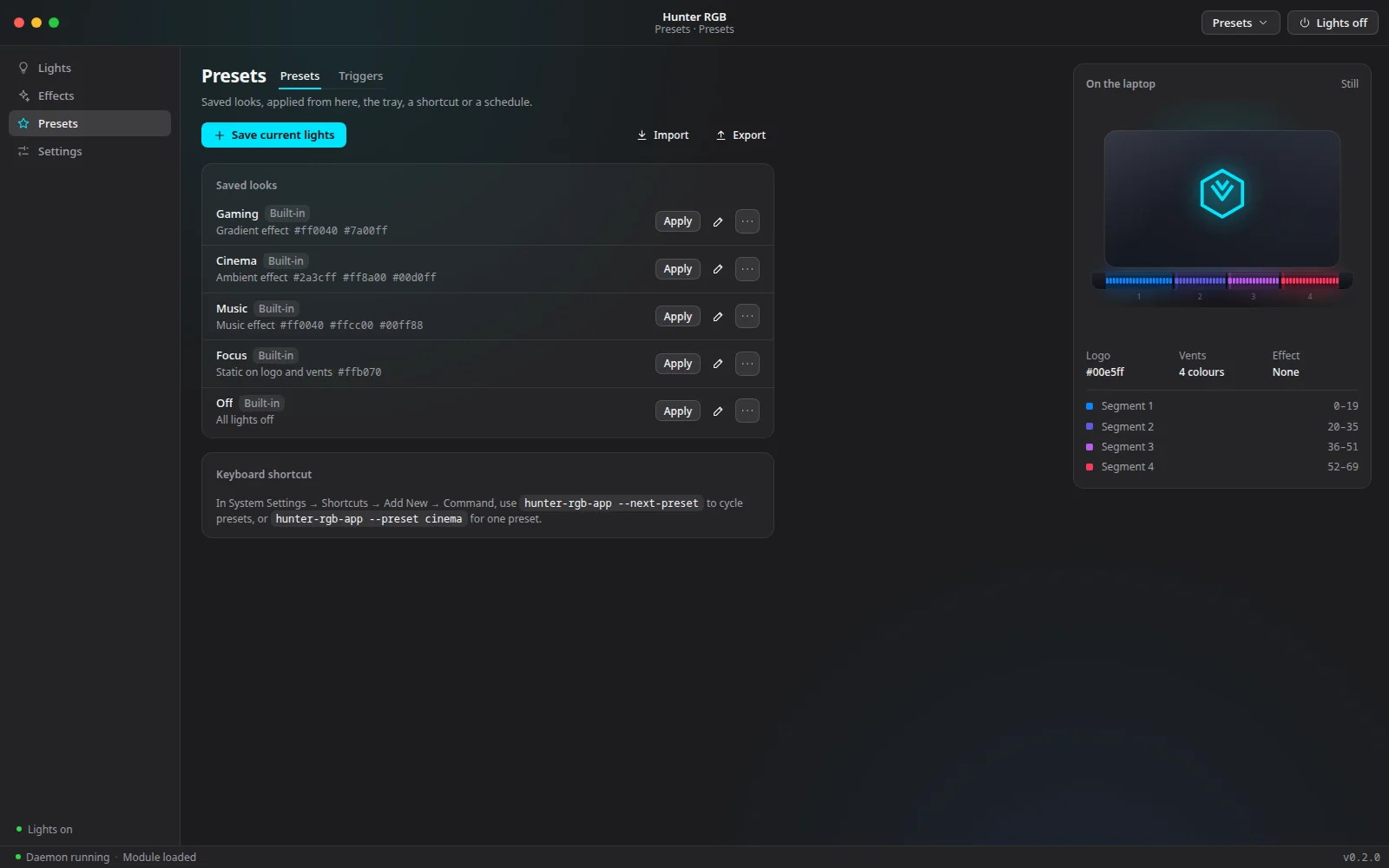
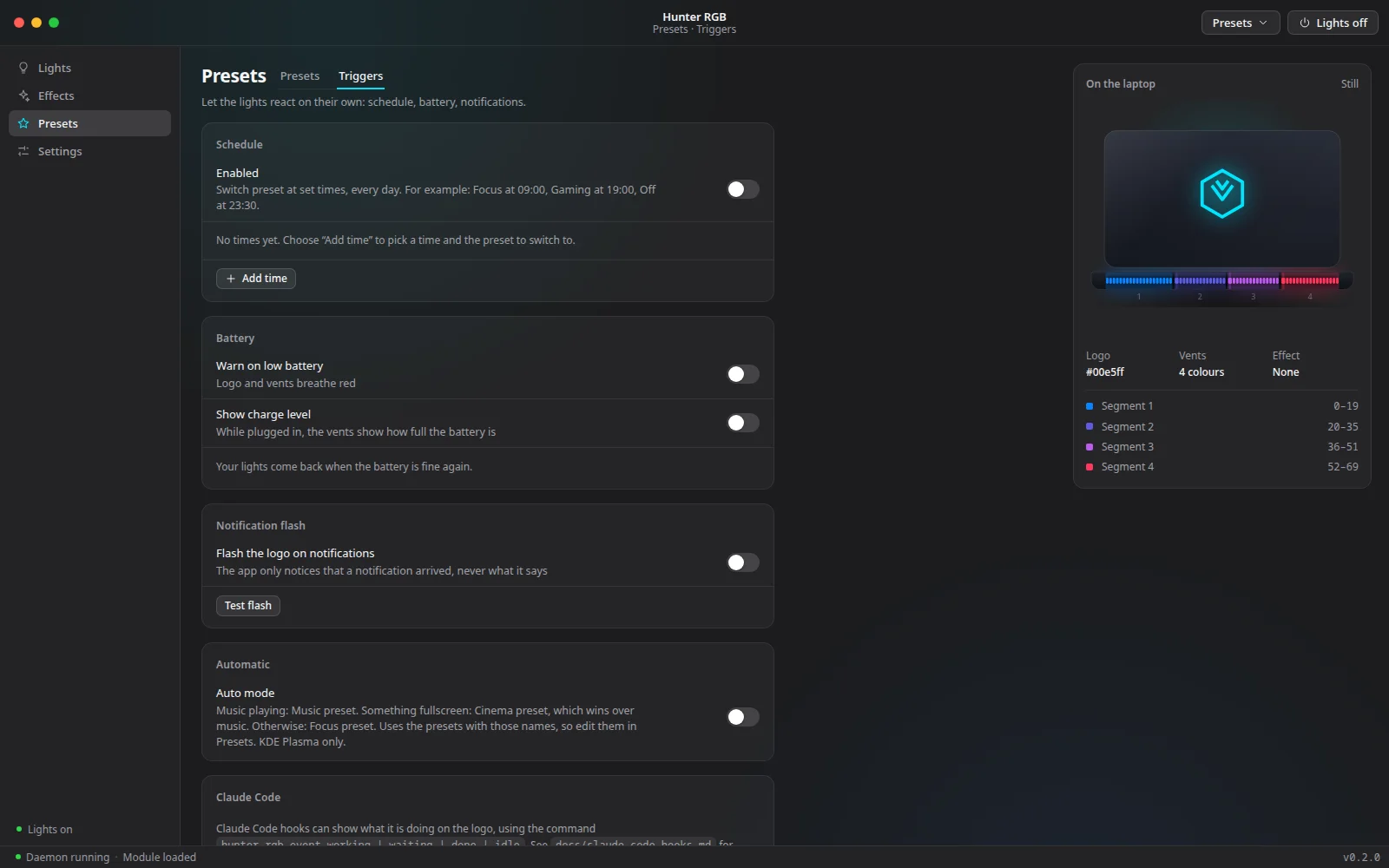
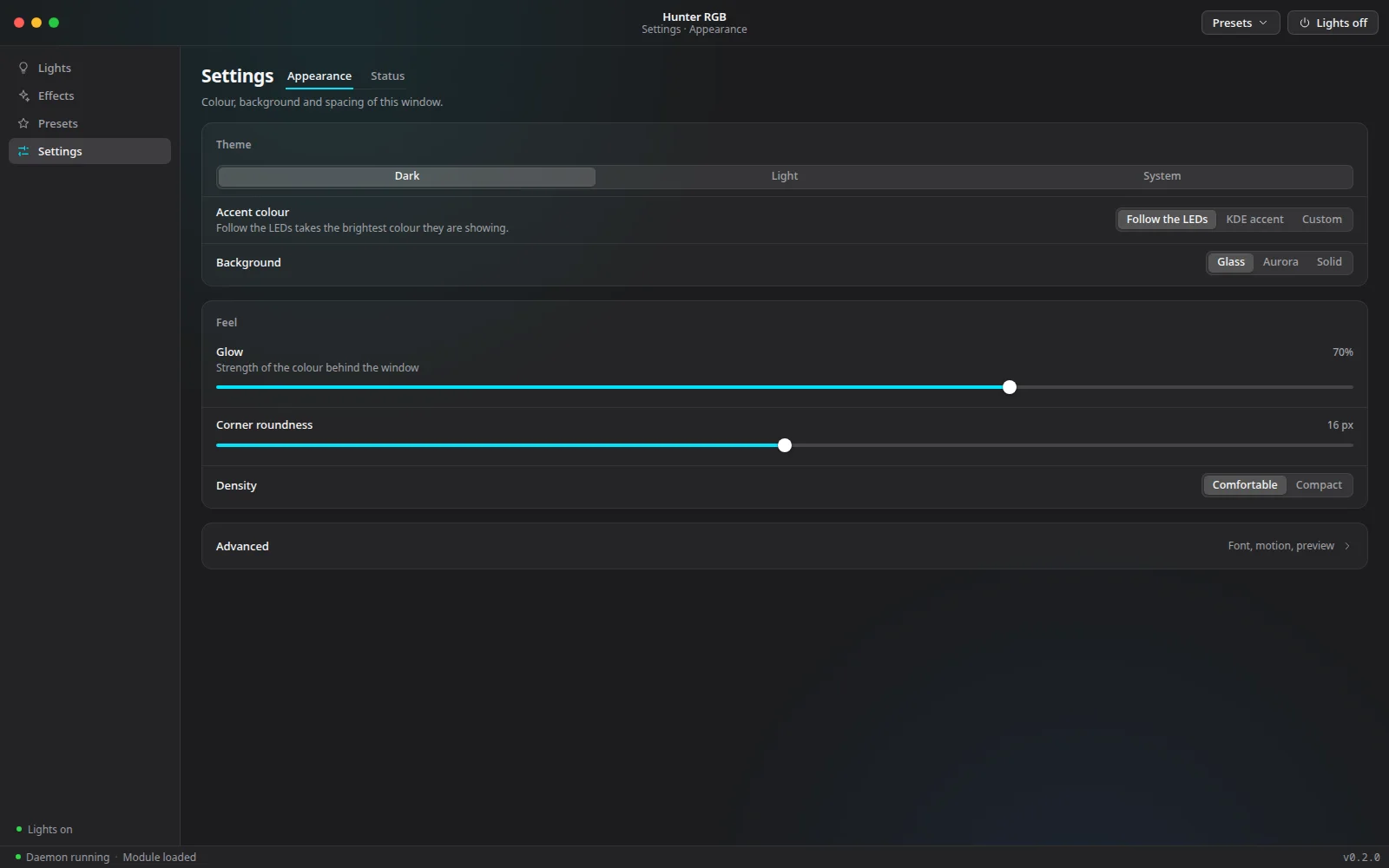
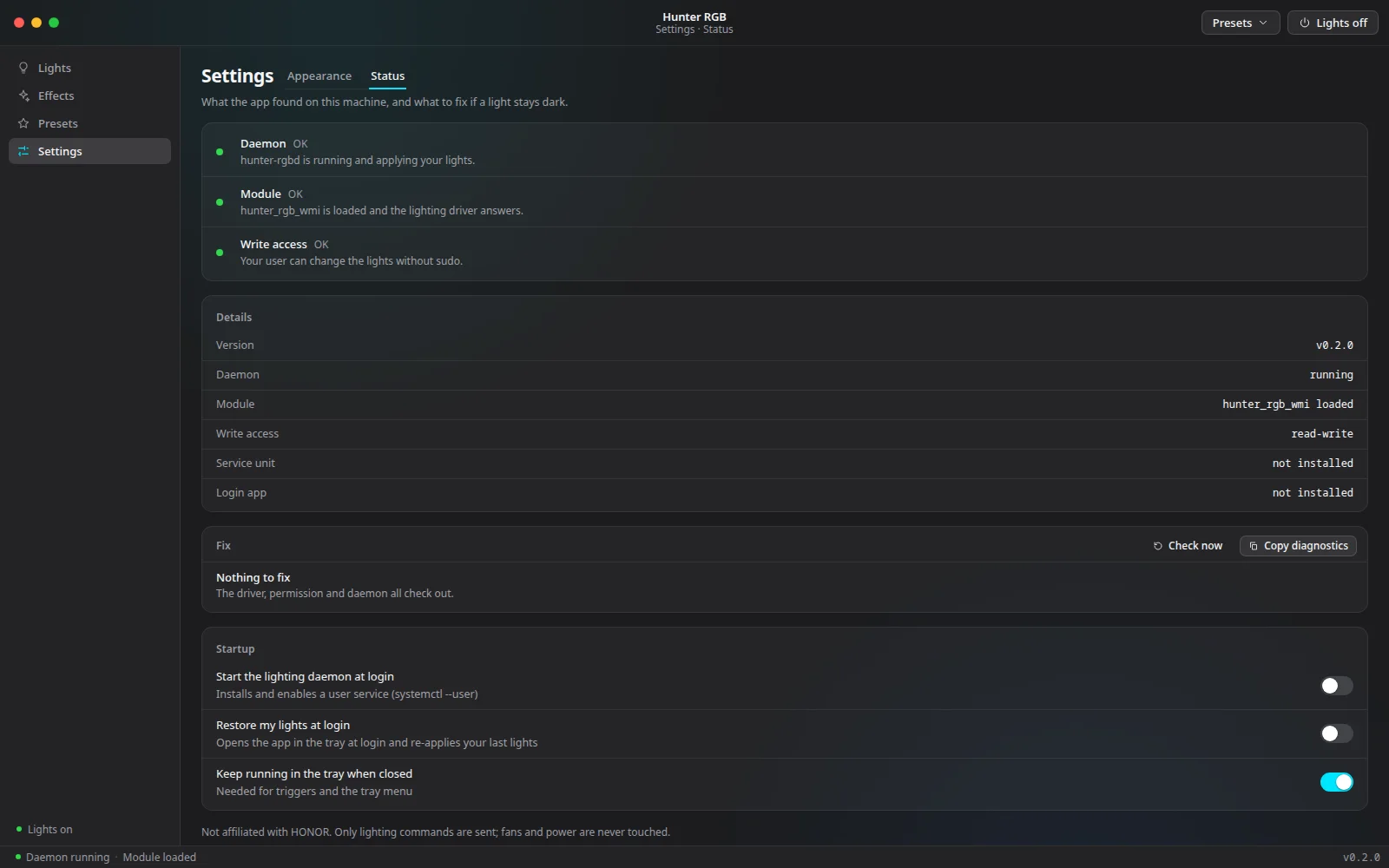
Screens of the real app, with a stand-in backend: no laptop was harmed.
Everything
it can do.
The full list. The tag says where each feature runs. Daemon features need the optional background service.
Built-in modes
Static, breathing and colour cycle for the logo and the vent. They run on the laptop, even with the app closed.
FirmwarePaint
Colour any of the 70 vent LEDs by hand, one segment or one LED at a time.
App · CLIGradients
Up to sixteen colours across the vent, still or moving.
AppMusic
The lights follow the beat of whatever is playing.
DaemonScreen ambient
Cinema mode: the vent takes the colours of your screen.
DaemonScanner, heat map, battery, focus timer
Light that shows something useful.
DaemonPresets
Save a look and recall it from the app or the tray.
App · trayTriggers
Low battery, charging, notifications, a daily schedule and an auto mode.
App · trayAppearance
Theme, accent colour, density, font and preview style for the app itself.
AppCommand line
Every lighting command from a terminal or a script: hunter-rgb.
CLIKeyboard zones
Music and ambient effects can colour the four keyboard zones.
Experimental: untested on hardware
Paint it here.
Run it there.
Draw across the seventy cells. The page writes the exact command for the real strip. Copy it, paste it in a terminal on your V700.
hunter-rgb effect paint 19a8ff 000000 000000 000000 19a8ff 000000 000000 000000 19a8ff 000000 000000 000000 19a8ff 000000 000000 000000 19a8ff 000000 000000 000000 19a8ff 000000 000000 000000 19a8ff 000000 000000 000000 19a8ff 000000 000000 000000 19a8ff 000000 000000 000000 19a8ff 000000 000000 000000 19a8ff 000000 000000 000000 19a8ff 000000 000000 000000 19a8ff 000000 000000 000000 19a8ff 000000 000000 000000 19a8ff 000000 000000 000000 19a8ff 000000 000000 000000 19a8ff 000000 000000 000000 19a8ff 000000Needs the hunter-rgbd daemon running.
The lights only
spoke Windows.
Now they speak Linux.
HONOR's lighting app is Windows-only. Hunter RGB brings the same lighting commands to Linux, and sends nothing else to the firmware.
- .rpmFedora · openSUSEhunter-rgb-0.2.0-1.x86_64.rpm
- .debDebian · Ubuntuhunter-rgb_0.2.0_amd64.deb
- .tar.gzAny other distributionhunter-rgb-0.2.0-linux-x86_64.tar.gz
Pick the one line that matches your distribution, from the folder you downloaded into:
sudo dnf install ./hunter-rgb-0.2.0-1.x86_64.rpm
sudo apt install ./hunter-rgb_0.2.0_amd64.deb
tar xf hunter-rgb-0.2.0-linux-x86_64.tar.gz && sudo sh hunter-rgb-0.2.0/scripts/install.shThe kernel module is compiled on your machine, so the headers of your running kernel must be installed. The app then needs a WebKitGTK 4.1 runtime. Music mode reads parec, ambient mode needs GStreamer with python3-gobject.
Checksums — verify with sha256sum -c SHA256SUMS.